Preventing Admin Lockout Through Safer SSO Setup
B3Networks Admin Portal
UX designer
2026
Redesigning authentication settings for B3Networks: preventing an SSO lockout risk and reorganizing the page around what admins actually need to do.
Overview
Security Center allows organization administrators to manage how users sign in and how their sessions are controlled.
The project started with a real authentication problem. A user signed in through Microsoft SSO but was still blocked by an expired password screen:
“I signed in with SSO, but the portal still said my password had expired.”
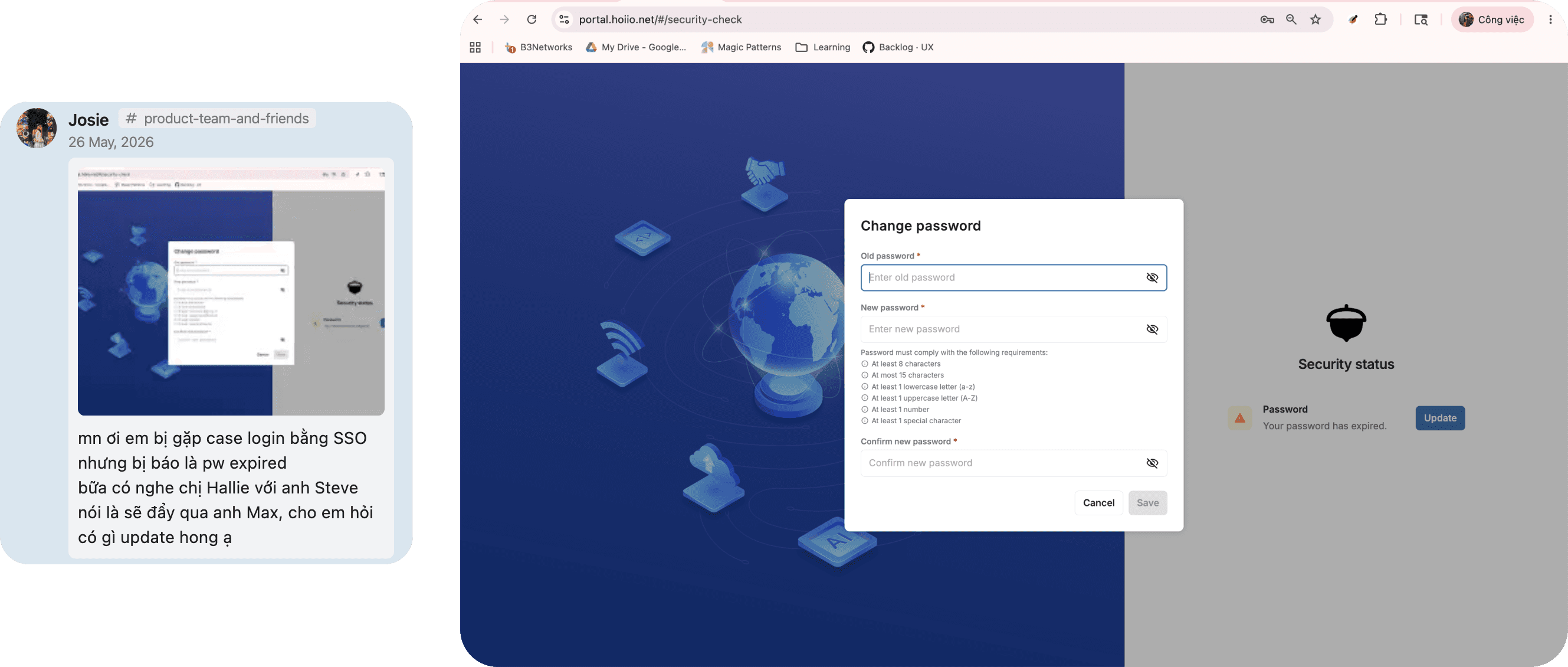
Because password login could not be disabled, local password policies continued to affect users even when their organization relied on SSO.
The new requirement allowed organizations to use Microsoft SSO as their only login method. While reviewing the proposed flow, I found that it introduced a new risk: administrators could disable password login before SSO was ready, potentially locking the entire organization out.
My role was to solve the existing friction without creating a more serious access problem.
Product: B3Networks Admin Portal, Security Center
Role: UX Designer
Collaborators: Product Owner, Engineering
Tools: Figma
The Problem
Current UI: SSO Users Were Still Affected by Password Policies
In the existing Security Hub, Microsoft SSO and password policies worked independently.
Administrators could enable Microsoft SSO, but password login always remained available. There was no way to make SSO the organization’s only login method.
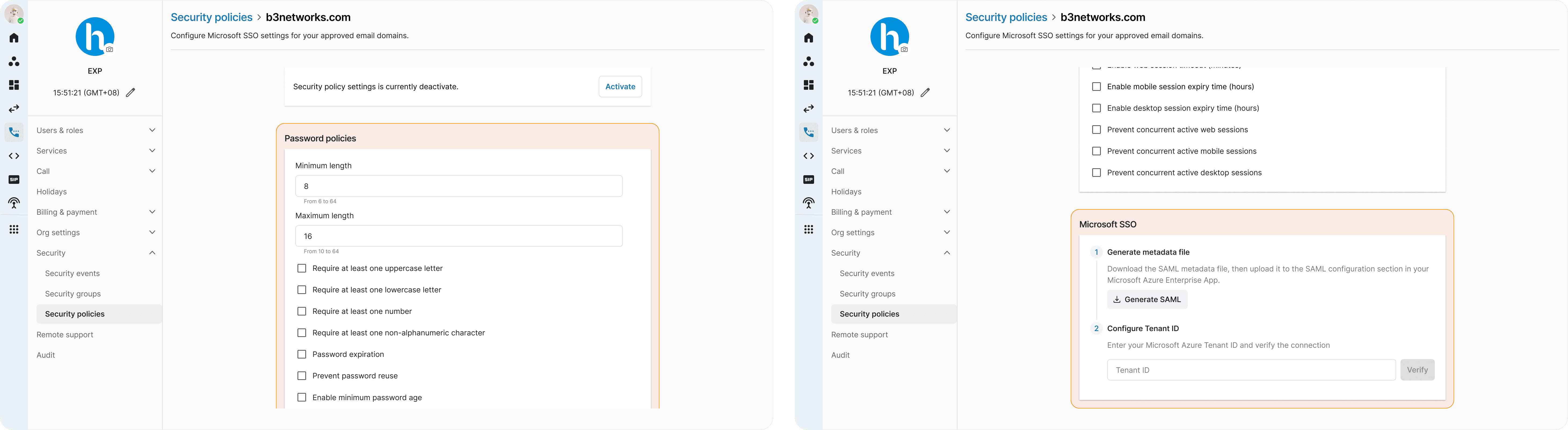
As a result, users signing in through Microsoft could still be interrupted by local password requirements, including password expiration. A user who did not rely on a local password could still be required to update one before continuing.
PM's Ideation: Support disable password login when Microsoft SSO was enabled
To address this, the new requirement allowed administrators to disable password login when Microsoft SSO was enabled.
This would let organizations require users to sign in through Microsoft and prevent local password policies from interrupting the SSO experience.
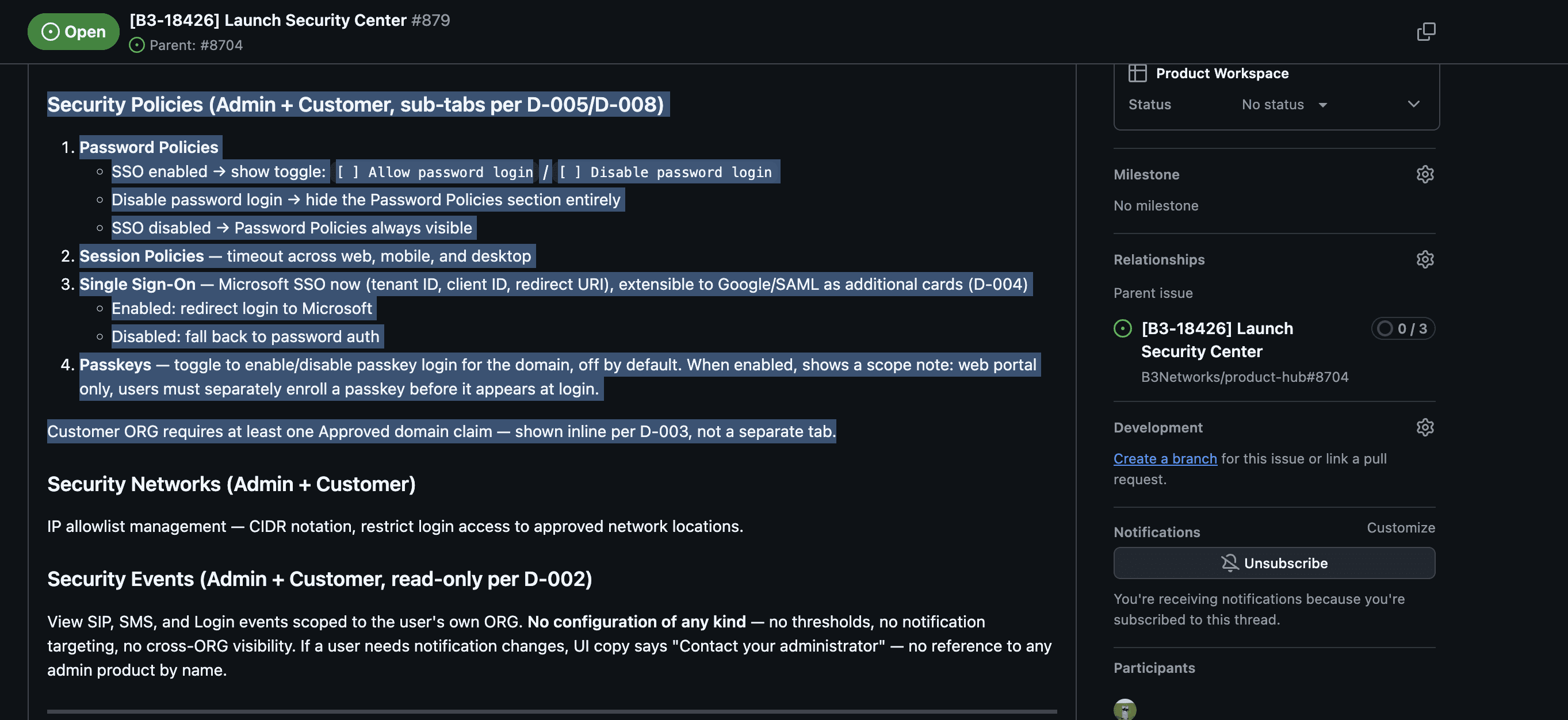
The initial proposal introduced an Allow password login alongside SSO control under Password Policies. It became available as soon as Microsoft SSO was turned on, with warning copy explaining that disabling it would make SSO the only way to sign in.
The requirement solved the original password expiry problem, but the proposed interaction created a possible lockout path.
PM's thought
The UX Risks in the Initial Proposal
SSO enabled did not mean SSO ready
After turning Microsoft SSO on, the administrator still needed to complete the configuration and verify the connection.
However, the option to disable password login became available before those steps were finished.
The warning explained the risk but did not prevent it
The administrator could still disable password login before SSO was working.
The design depended on them noticing the warning, understanding the current SSO state, and making the correct decision.
Connected settings lived in separate tabs
The password control appeared under Password Policies, while the setup it depended on happened under Single Sign-On.
Understanding one decision required moving between two different sections.
This created a possible sequence:
The administrator enables Microsoft SSO.
The option to disable password login becomes available.
They assume SSO is already active.
They disable password login.
The Microsoft SSO setup is still incomplete.
Neither login method works.
The problem was not the option itself. It was when the option became available.
UX Recommendation
Instead of adding more warning copy, I proposed changing both the interaction logic and the page structure.
Make the unsafe action unavailable
The Sign in with password control remains visible, but it cannot be disabled until Microsoft SSO has been successfully configured and verified.
Until then, password login stays available by default.
The revised flow became:
Enable Microsoft SSO → Complete and verify setup → Choose whether password login remains available
SSO state
Password login
Password control
Not enabled
Available by default
Cannot be disabled
Setup in progress
Still available
Cannot be disabled
Configured and verified
Available
Can be disabled
This shifts responsibility from the administrator to the product.
Admins no longer need to judge whether SSO is ready. The system only enables the action after another working login method has been confirmed.
Once password login is disabled, the related password policy controls are hidden because they no longer apply.
This shifts responsibility from the administrator to the product.
Admins no longer need to judge whether SSO is ready. The system only enables the action after another working login method has been confirmed.
Once password login is disabled, the related password policy controls are hidden because they no longer apply.
Refine the existing structure with collapsible sections
The previous Security Policies page already presented password, session, and Microsoft SSO settings on a single page. Rather than replacing the existing information architecture, I refined it to make the page easier to scan and work with.
I reorganized the policies so related sign-in methods appear closer together:
Sign in with password
Sign in with Microsoft SSO
Sign in with passkey
Session policies
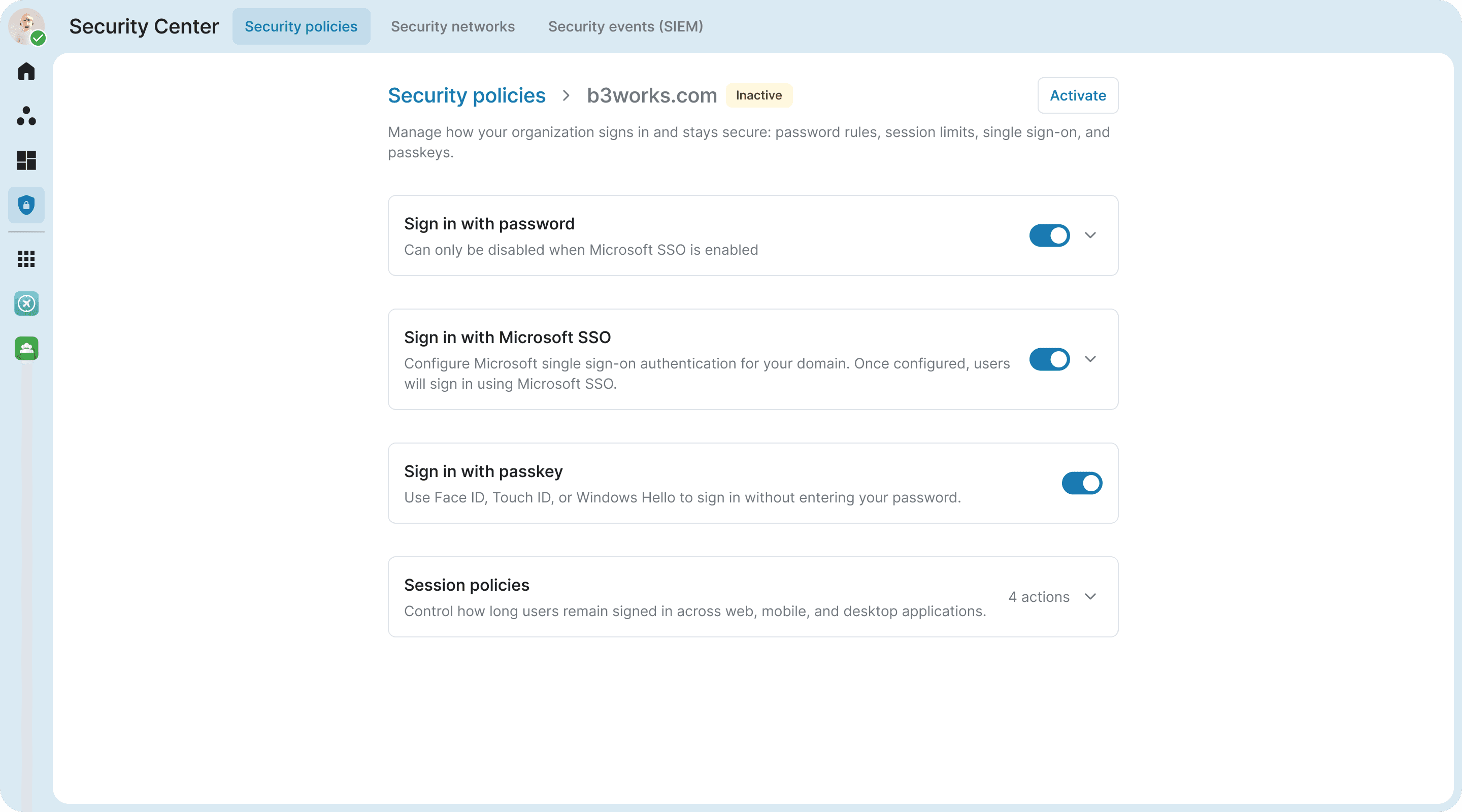
Placing password and Microsoft SSO next to each other makes their dependency easier to understand, while Session Policies remains separate because it controls what happens after users have signed in.
I also converted each policy group into a collapsible section.
When collapsed, the section shows its name, current state, and primary control, giving administrators a quick overview of the available policies. When expanded, the section reveals the detailed settings and actions within a clear visual boundary.
This provides three main benefits:
Better focus and scanability
Administrators can expand the section they are working on while keeping the other policies visible but out of the way. This makes a settings-heavy page easier to review without hiding the available options.
Less context switching and clearer dependencies
All policies remain on one page. The password control can respond directly to the current Microsoft SSO state without requiring administrators to move between tabs or remember information from another screen.
Progressive and scalable structure
Detailed settings only appear when a section is expanded, keeping the page manageable. Future providers such as Google or SAML can also be added within the SSO section without introducing more top-level navigation.
The same approach informed a few supporting decisions:
Password policy controls are hidden when password login is disabled.
Passkey limitations are explained inline, including separate user enrollment and the current web-only scope.
The approved domain requirement stays within Security Policies because it is a prerequisite, not a separate destination.
Design Concept


Outcome
The revised design addressed both the original user problem and the new risk introduced by the feature.
Once password login is disabled, SSO users are no longer interrupted by irrelevant password expiry requirements. At the same time, administrators cannot disable passwords until Microsoft SSO has been confirmed working.
The potential lockout path was identified and removed before development.
The new design also replaced a fragmented tab-based layout with a page that is easier to scan, keeps connected policies in the same context, and can support future authentication methods.
There was no production incident data because the risk was caught during the design stage. The main outcome was preventive: an unsafe organization-wide configuration became unreachable through the interface.
Reflection
The solution was not better warning copy.
It was deciding when the option should become available and placing it next to the setting it depended on.
For security settings, safety should not rely on administrators noticing every warning or understanding every system dependency.
Unsafe choices should not be available until the system is ready for them.


